Quick start
This 10-minute tutorial (and a coffee for unattended indexing time) shows how to apply Lingo4G REST API v2 to explore research articles available from arxiv.org.
Tha aim of this walk-through is to get Lingo4G up and running on the arXiv example data set and to demonstrate a number of analytical tasks you can perform using Lingo4G REST API. We skim over many details in this section but provide hyperlinks to more detailed documentation. Feel free to skip those links until later — the goal is to get an understanding of what Lingo4G is and what it offers, without getting lost in the details of each bit of functionality.
Initial steps
If you haven't gone through the initial Quick start tutorial, see and complete the following steps of that tutorial:
After you complete the above steps, you should end up with a Lingo4G index of the arXiv data set and the Lingo4G server ready to accept analysis requests.
Running Lingo4G Explorer
Once Lingo4G REST API server starts up, open in your browser the
Lingo4G JSON Sandbox app, located at
http://localhost:8080/apps/explorer/v2/#/code. The app helps you to edit, execute, tune and debug Lingo4G analysis request JSONs. We will use JSON Sandbox
through the rest of this tutorial.
If you're opening Lingo4G Explorer for the first time, you should see the request area pre-filled with a simple "Hello world" request. Press Execute to run the request. If the request runs successfully, you should see a result similar to the following screenshot.
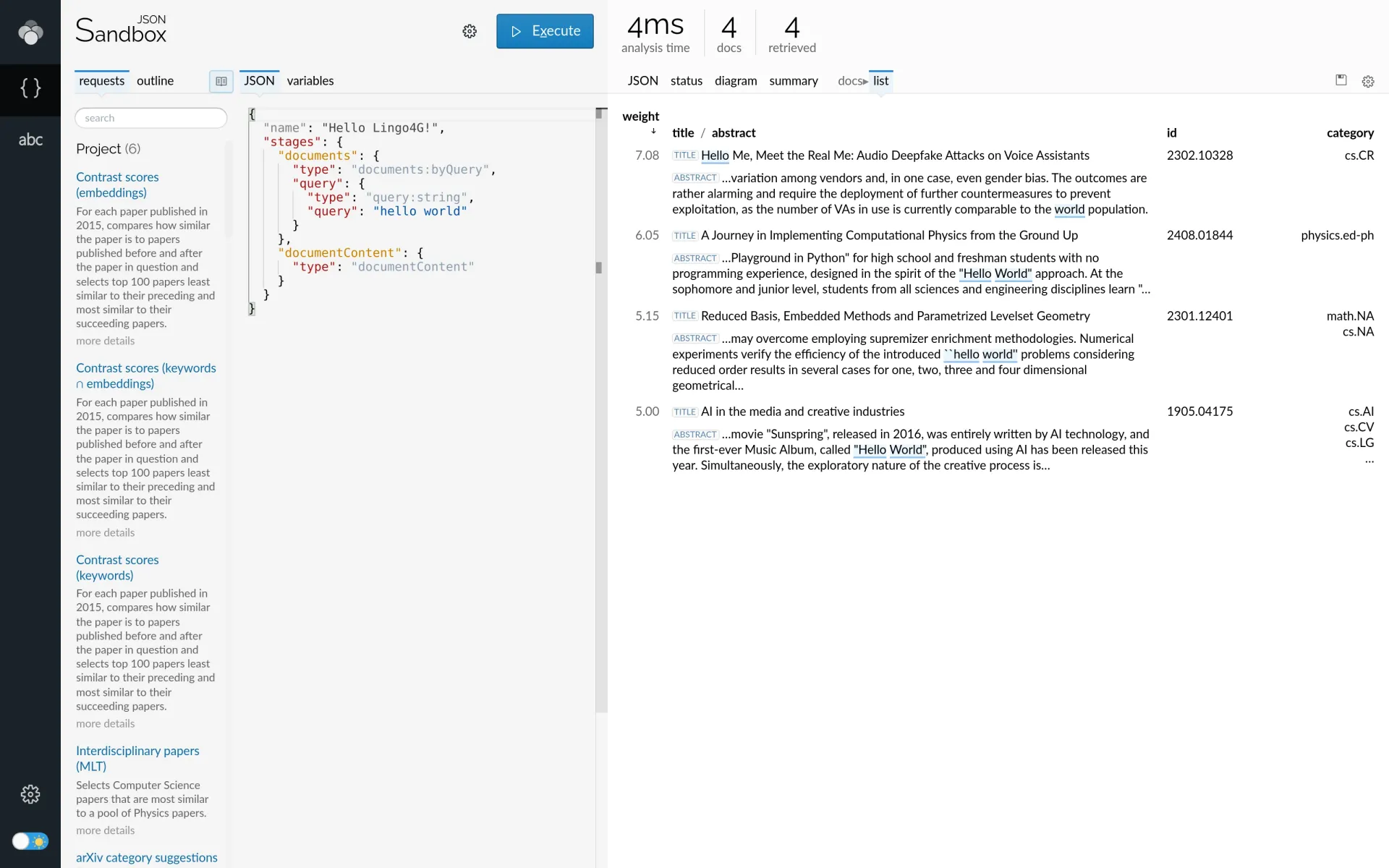
Lingo4G JSON Sandbox app showing the 'Hello world!' analysis request and response.
Now we're ready for arXiv data exploration.
Exploring the data
In this section we show a few data analysis tasks Lingo4G can perform. Remember these are only examples — there is no single way or angle of looking at the indexed data and, eventually, you will want to build your own analysis requests and customize them to your own needs.
Document search
The basic functionality Lingo4G offers is that of a search engine, also known as a document retrieval engine. You can use the keyword-based queries to pull documents of interest from the index.
For example, the following request returns the title, creation date, author and abstract of documents which contain the term plasma but not quark in their title. The highlighted part of the analysis request contains the query string; note the Boolean operators between keywords.
{
  "stages": {
    "documents": {
      "type": "documents:byQuery",
      "query": {
        "type": "query:string",
        "query": "title:(plasma AND NOT quark)"
      },
      "limit": 5
    },
    "content": {
      "type": "documentContent",
      "fields": {
        "type": "contentFields:simple",
        "fields": {
          "id": {},
          "title": {},
          "created": {},
          "abstract": {
            "maxValueLength": 240
          }
        }
      }
    }
  }
}
An API request to select documents containing terms plasma but not quark in their titles.
To run the above request, copy and paste the request JSON into the Sandbox app's editor on the left side, and press Execute. On the right side, you should see the JSON response returned by the Lingo4G analysis API, along with a few tabs that present the response in a visual form. Click on the list tab to see the top matching documents:
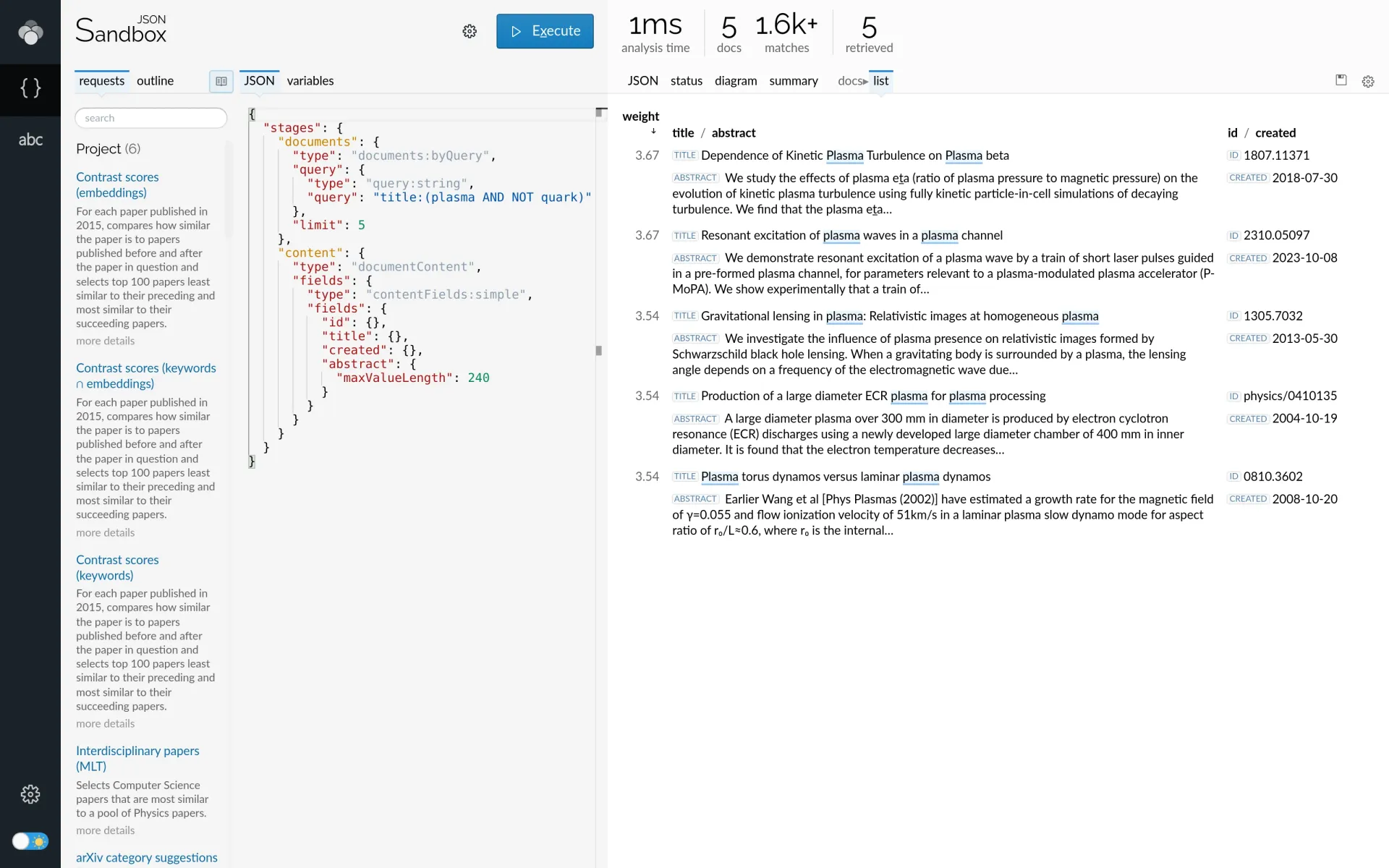
Lingo4G JSON Sandbox app showing a simple keyword-query document retrieval request (on the left) and the retrieved documents (on the right).
The syntax of Lingo4G's query parser offers a lot more than the basic Boolean keyword/ key-phrase combinations. The interval functions are particularly powerful and allow expressing complex proximity relationships between query clauses. For example, the following query:
title:(fn:maxwidth(10 fn:unordered(fn:or(hot cold) plasma)))returns documents with the word plasma and at least one of the words hot or cold in any order, as long as they are not more than 10 words apart from each other. If you edit the request and type the above interval query, you should see the following result. Note how Lingo4G highlights the document regions that cause your query to match.
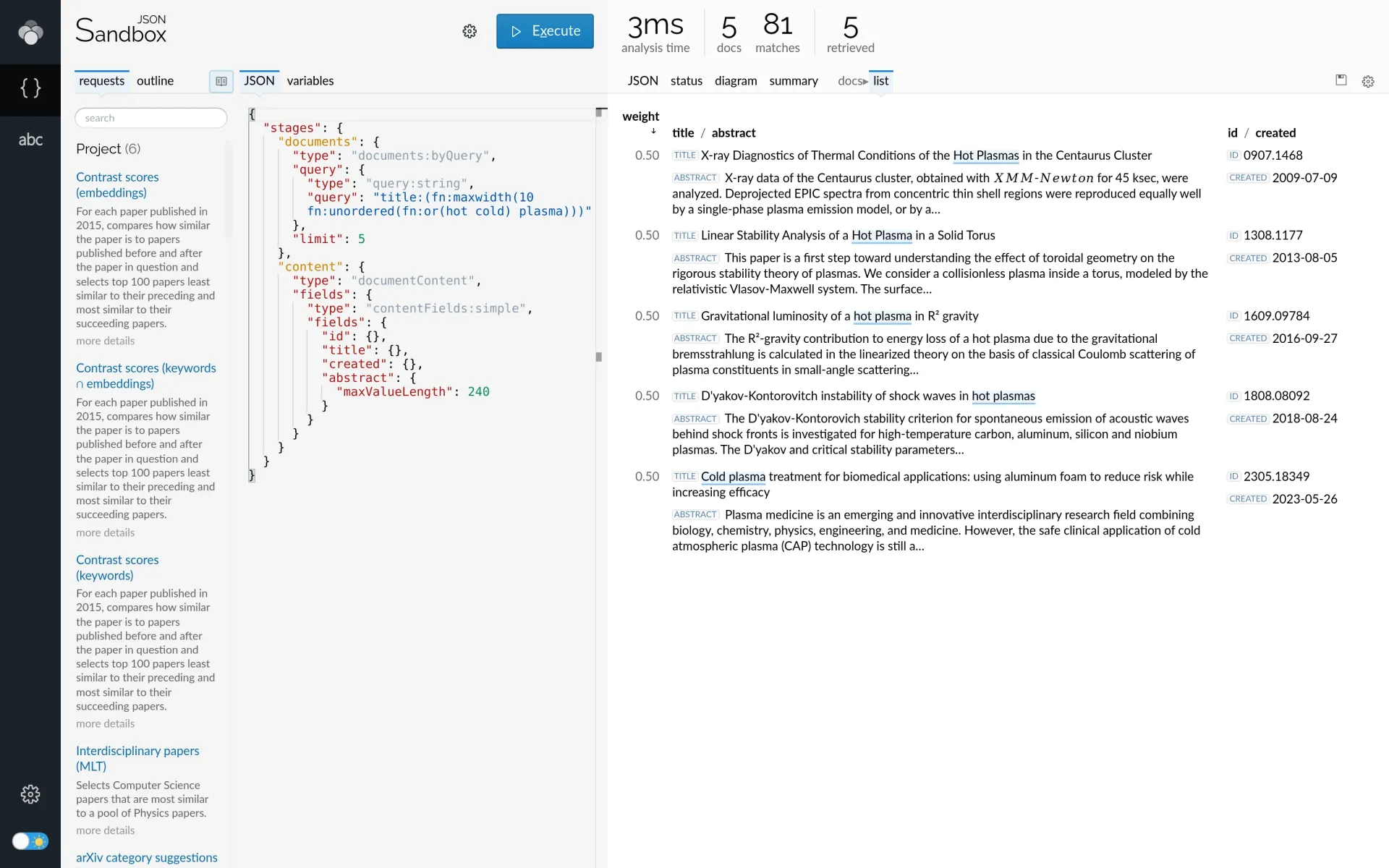
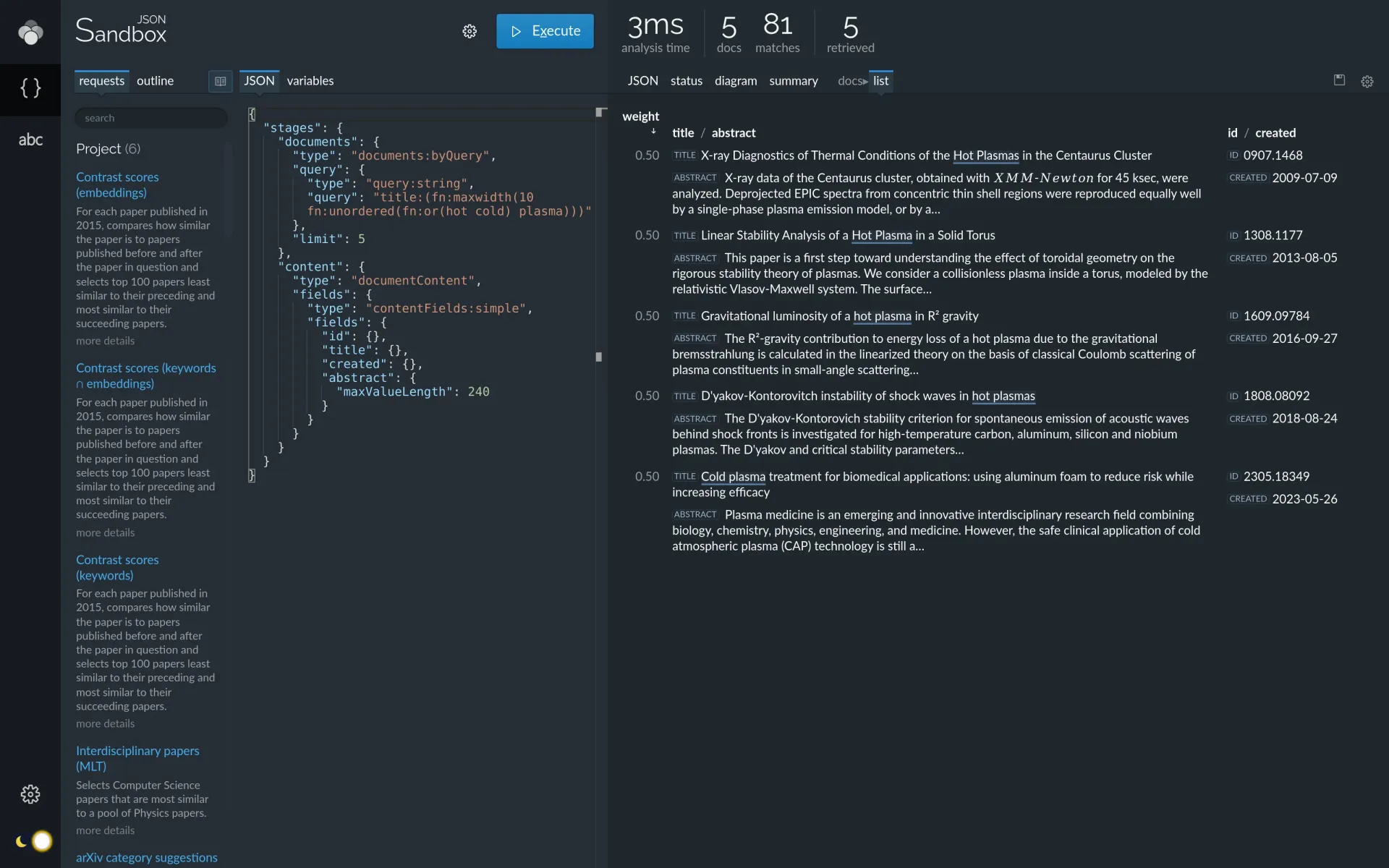
Lingo4G JSON Sandbox app showing the result of a more advanced document retrieval query leveraging interval functions.
Selecting a subset of index documents using text queries or other methods is a very useful skill: you will need it for many types of Lingo4G analyses. See the Document selection tutorial article for more explanations and example requests.
Lingo4G is not merely a search engine though, let's try doing something more advanced.
Label collection and clustering
Lingo4G is often about getting insight into much larger numbers of documents than we did in the document search example. Let's modify our original document search request to select up to 2000 documents and summarize those documents using up to 200 most relevant words or phrases contained in the documents.
{
  "stages": {
    "documents": {
      "type": "documents:byQuery",
      "query": {
        "type": "query:string",
        "query": "title:(plasma AND NOT quark)"
      },
      "limit": 2000
    },
    "labels": {
      "type": "labels:fromDocuments",
      "maxLabels": {
        "type": "labelCount:fixed",
        "value": 200
      }
    }
  }
}
An API request to select up to 2000 documents containing terms plasma but not quark in their titles and summarize all the documents using 200 words or phrases occurring in those documents.
Notice the updated limit
property and the new block that instructs Lingo4G to collect labels from the documents.
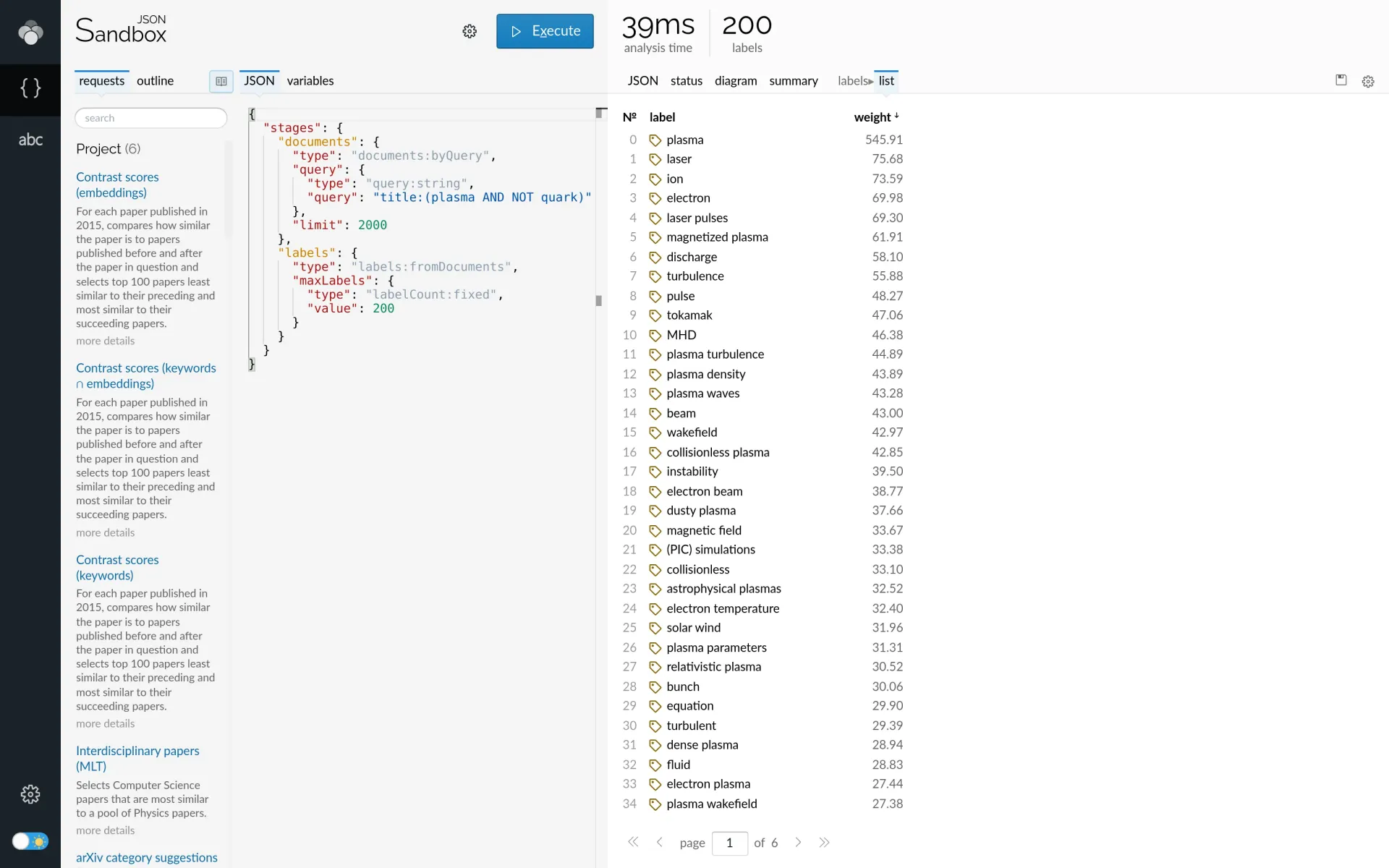
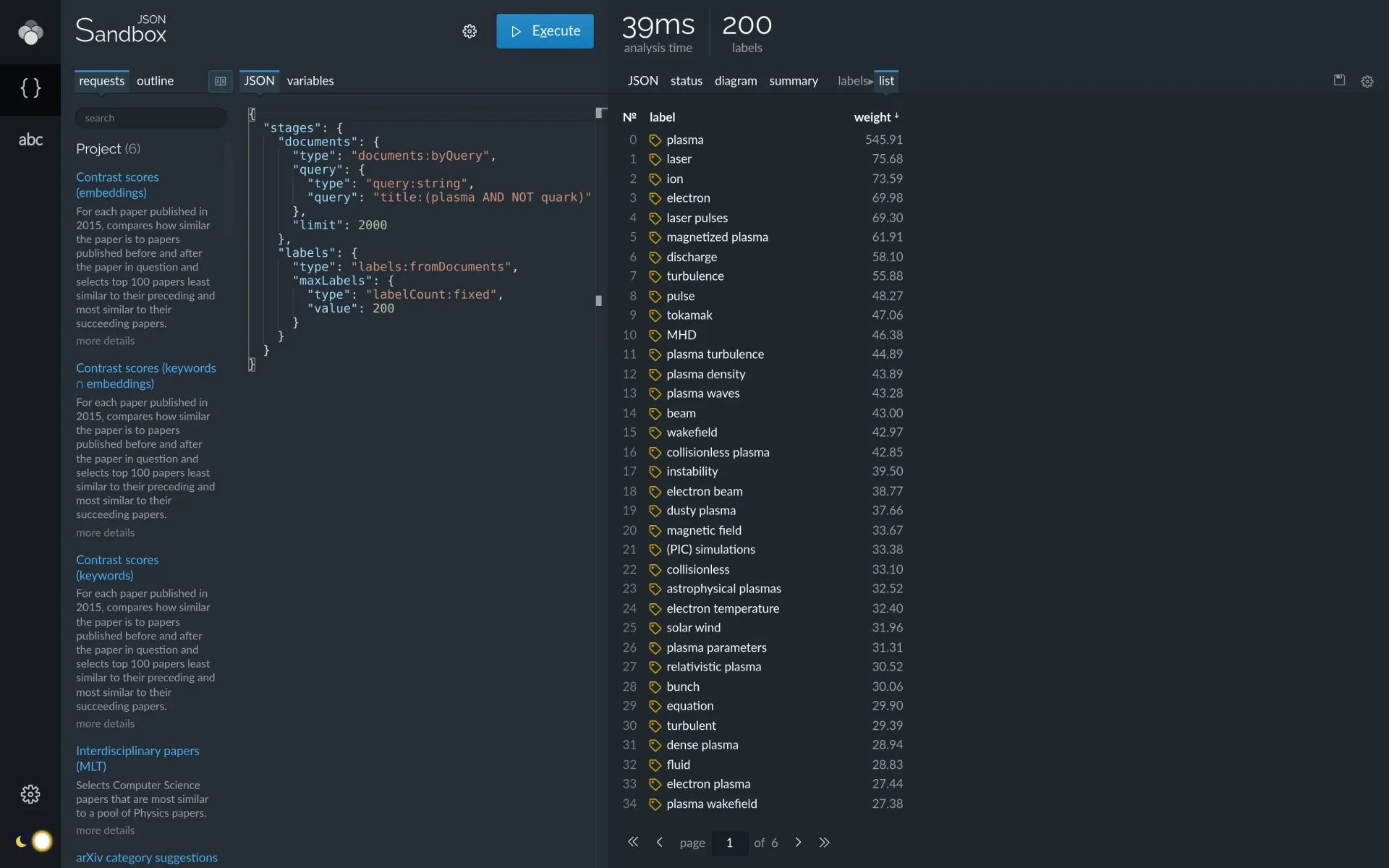
Lingo4G JSON Sandbox app showing labels describing the top 2000 documents matching the query plasma AND NOT quark.
The majority of labels in the list above are single words. Let's modify the request to return key phrases
consisting of two or more words — these occur less frequently, but are more expressive and intuitive to
understand. Let's also add a filter to omit all labels containing the term plasma, which is directly
expressed in the query. The new request uses the
labelAggregator
component to express these constraints:
{
  "stages": {
    "documents": {
      "type": "documents:byQuery",
      "query": {
        "type": "query:string",
        "query": "title:(plasma AND NOT quark)"
      },
      "limit": 2000
    },
    "labels": {
      "type": "labels:fromDocuments",
      "labelAggregator": {
        "type": "labelAggregator:topWeight",
        "labelCollector": {
          "type": "labelCollector:topFromFeatureFields",
          "labelFilter": {
            "type": "labelFilter:composite",
            "labelFilters": {
              "two-words-or-longer": {
                "type": "labelFilter:tokenCount",
                "minTokens": 2,
                "maxTokens": 5
              },
              "no-plasma": {
                "type": "labelFilter:dictionary",
                "exclude": [{
                  "type": "dictionary:glob",
                  "entries": [
                    "* plasma *"
                  ]
                }]
              }
            },
            "operator": "AND"
          }
        }
      },
      "maxLabels": {
        "type": "labelCount:fixed",
        "value": 200
      }
    }
  }
}
Modified API request that returns labels that contain two or more words and omit any direct mentions of plasma.
The new list of labels should be much more specific now:
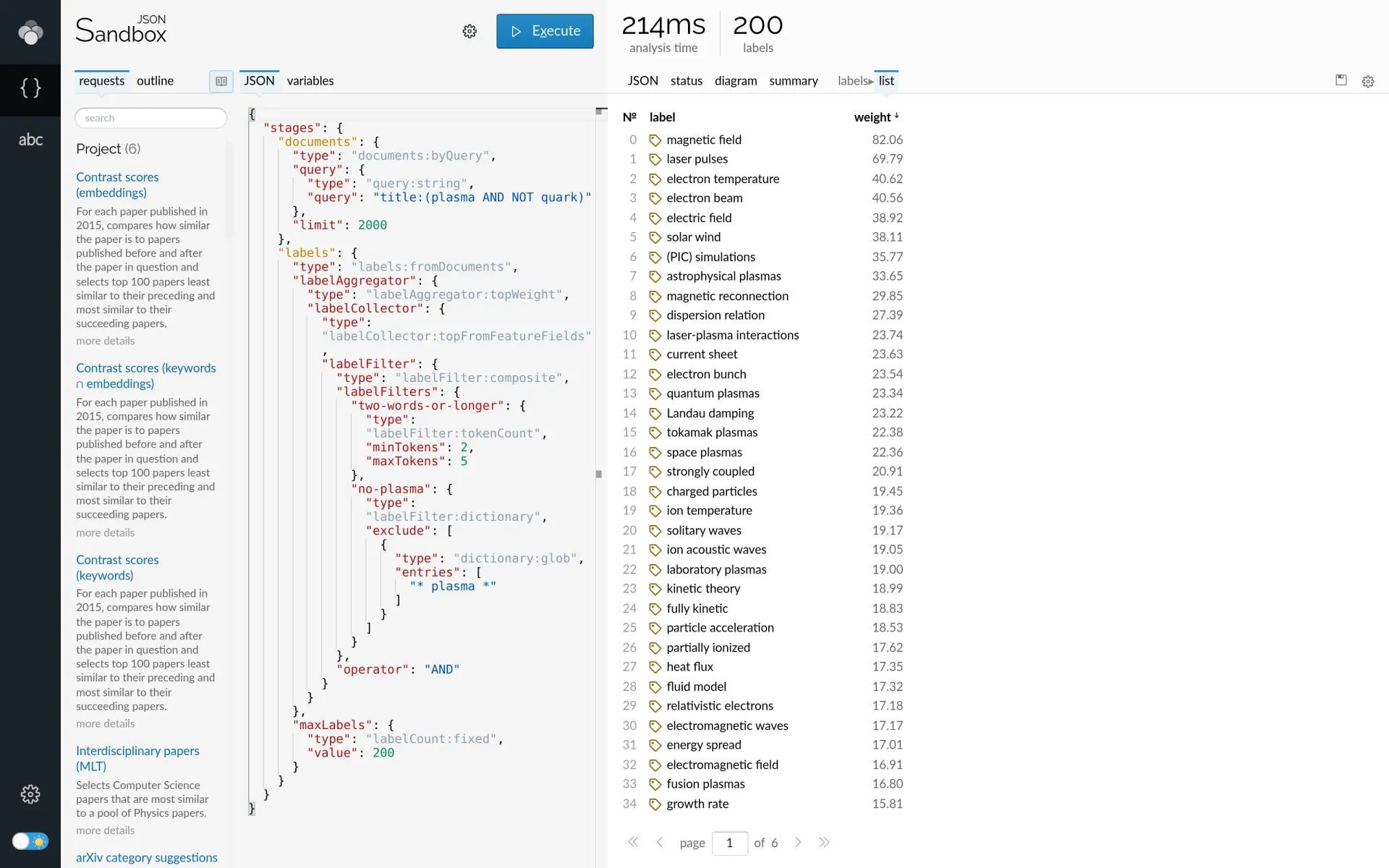
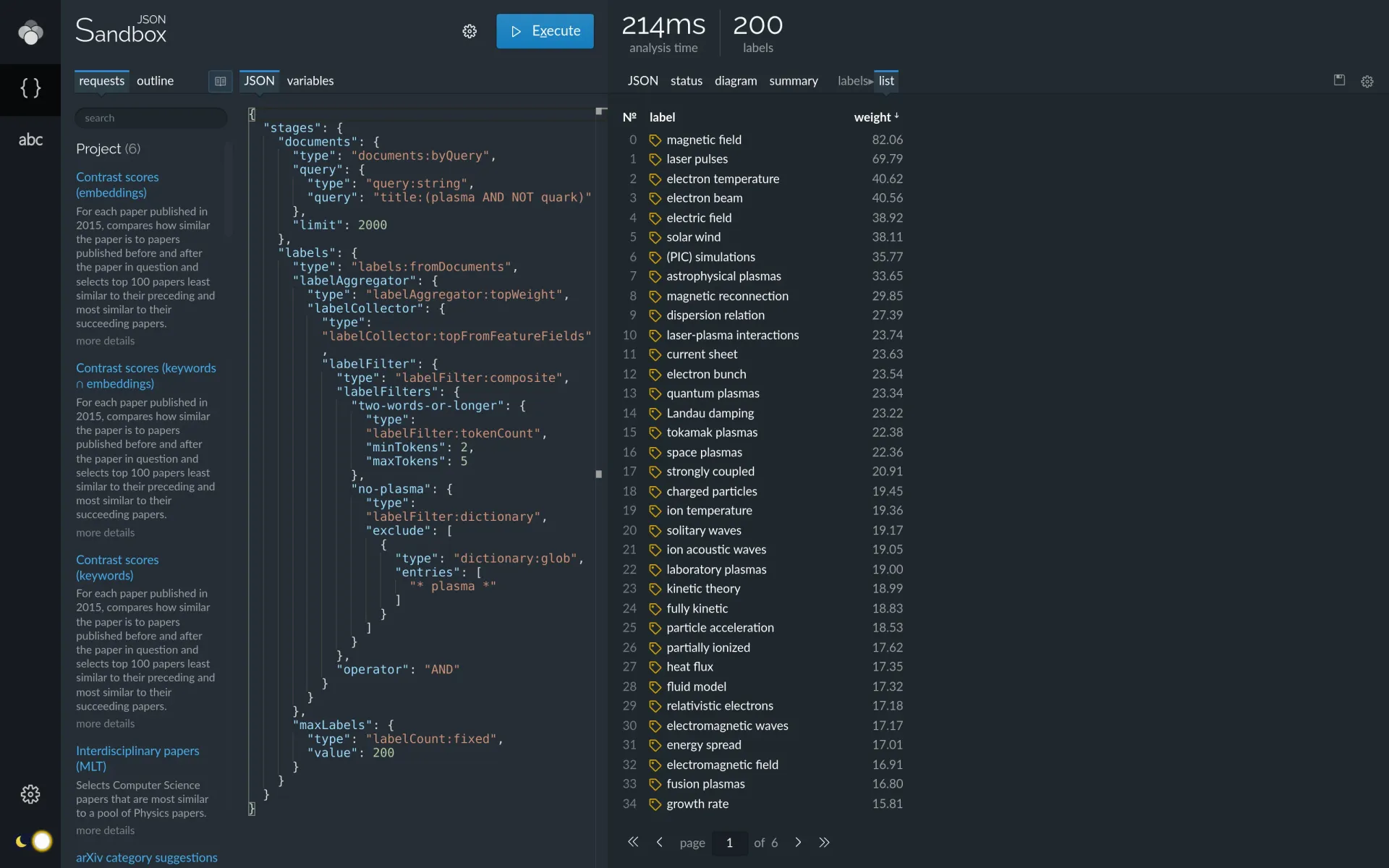
Label list summarizing the top 2000 documents using multi-word key phrases omitting the word plasma.
Another way of getting the labels more organized is by clustering them into smaller groups of labels that refer to similar topics. Here is a request that adds label clustering to the previous example. This request uses label embeddings to compute label similarity.
{
  "stages": {
    "documents": {
      "type": "documents:byQuery",
      "query": {
        "type": "query:string",
        "query": "title:(plasma AND NOT quark)"
      },
      "limit": 2000
    },
    "labels": {
      "type": "labels:fromDocuments",
      "labelAggregator": {
        "type": "labelAggregator:topWeight",
        "labelCollector": {
          "type": "labelCollector:topFromFeatureFields",
          "labelFilter": {
            "type": "labelFilter:composite",
            "labelFilters": {
              "two-words-or-longer": {
                "type": "labelFilter:tokenCount",
                "minTokens": 2,
                "maxTokens": 5
              },
              "no-plasma": {
                "type": "labelFilter:dictionary",
                "exclude": [{
                  "type": "dictionary:glob",
                  "entries": [
                    "* plasma *"
                  ]
                }]
              }
            },
            "operator": "AND"
          }
        }
      },
      "maxLabels": {
        "type": "labelCount:fixed",
        "value": 200
      }
    },
    "labelClusters": {
      "type": "clusters:ap",
      "matrix": {
        "type": "matrix:knnVectorsSimilarity",
        "vectors": {
          "type": "vectors:precomputedLabelEmbeddings",
          "labels": {
            "type": "labels:reference",
            "use": "labels"
          }
        }
      }
    }
  }
}
Lingo4G API request computing label clusters and leveraging label embeddings to compute label similarity.
Compare the clusters of related labels to their flat list shown previously.
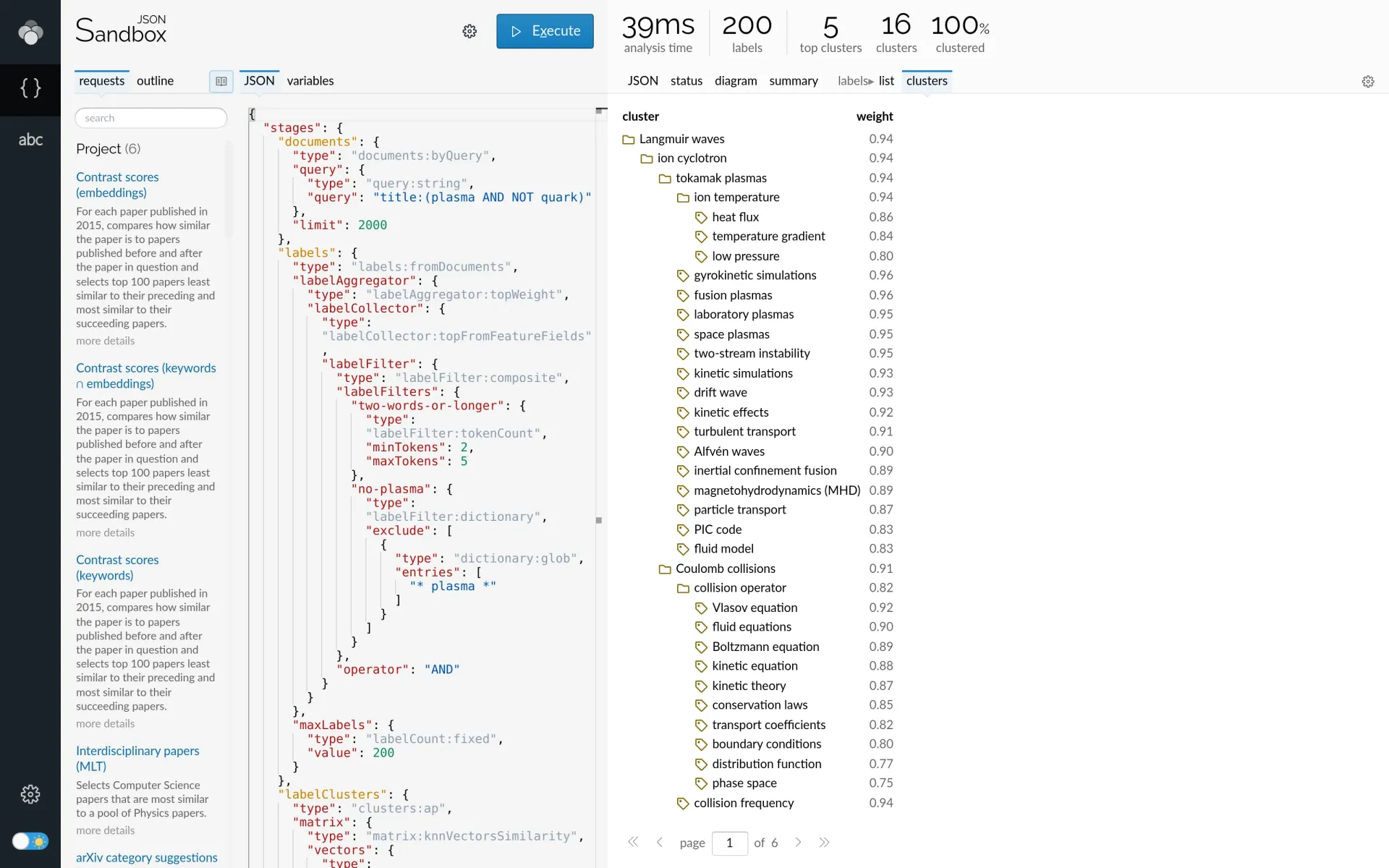
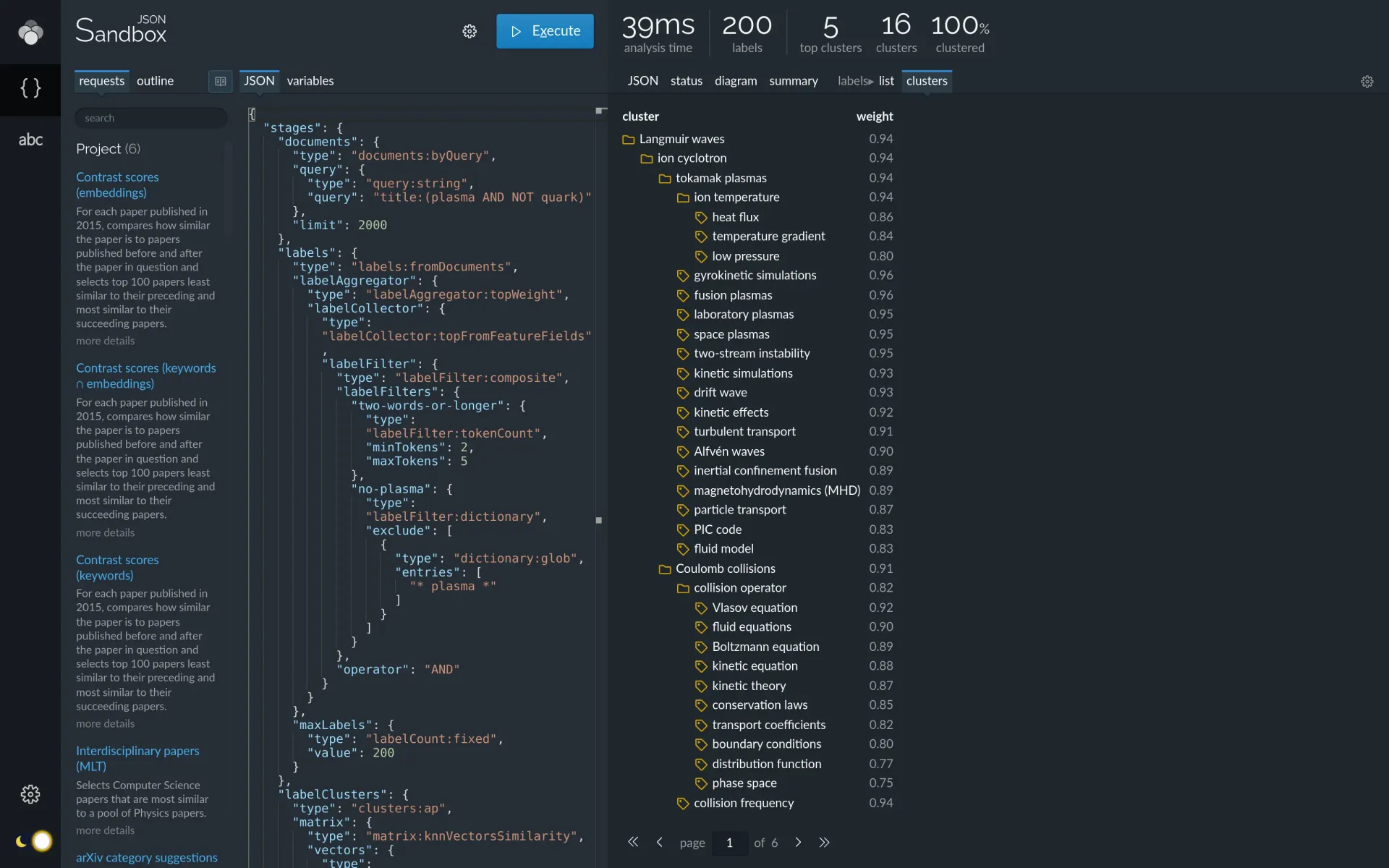
Lingo4G sandbox showing label groups computed by clustering labels using their embedding vectors.
If you are interested in label aggregation and clustering, see the label collection and clustering articles.
Document 2d mapping and clustering
In the document search section we demonstrated how Lingo4G can retrieve a set of documents matching a text query. When this set is large, browsing documents one by one quickly becomes impractical. One way of getting insight into a large set of document is to aggregate and cluster labels contained in those documents. Another way is arranging the documents on a 2d map in such a way that related documents lie in the same area of the map.
The following request lays out the top 5000 documents matching the query title:(plasma AND NOT quark), using document labels to describe the densely-populated areas of the map.
{
  "stages": {
    "documents": {
      "type": "documents:byQuery",
      "query": {
        "type": "query:string",
        "query": "title:(plasma AND NOT quark)"
      },
      "limit": 5000
    },
    "documents2dMap": {
      "type": "embedding2d:lv",
      "matrix": {
        "type": "matrix:knnVectorsSimilarity",
        "vectors": {
          "type": "vectors:precomputedDocumentEmbeddings"
        }
      }
    },
    "labels": {
      "type": "labels:fromDocuments",
      "labelAggregator": {
        "type": "labelAggregator:topWeight",
        "labelCollector": {
          "type": "labelCollector:topFromFeatureFields",
          "labelFilter": {
            "type": "labelFilter:composite",
            "labelFilters": {
              "remove-stop-labels": {
                "type": "labelFilter:autoStopLabels",
                "minCoverage": 0.8
              },
              "two-words-or-longer": {
                "type": "labelFilter:tokenCount",
                "minTokens": 2,
                "maxTokens": 5
              }
            },
            "operator": "AND"
          }
        }
      },
      "maxLabels": {
        "type": "labelCount:fixed",
        "value": 250
      }
    },
    "documents2dMapLabels": {
      "type": "embedding2d:lvOverlay",
      "matrix": {
        "type": "matrix:keywordLabelDocumentSimilarity"
      },
      "embedding2d": {
        "type": "embedding2d:reference",
        "use": "documents2dMap"
      }
    }
  }
}
Lingo4G analysis request computing a 2d map of documents, along with labels describing the densly-populated areas of the map.
When you run the above request in the JSON Sandbox app and switch to the docs map tab, you should see a zoomable 2d map of the documents and labels.
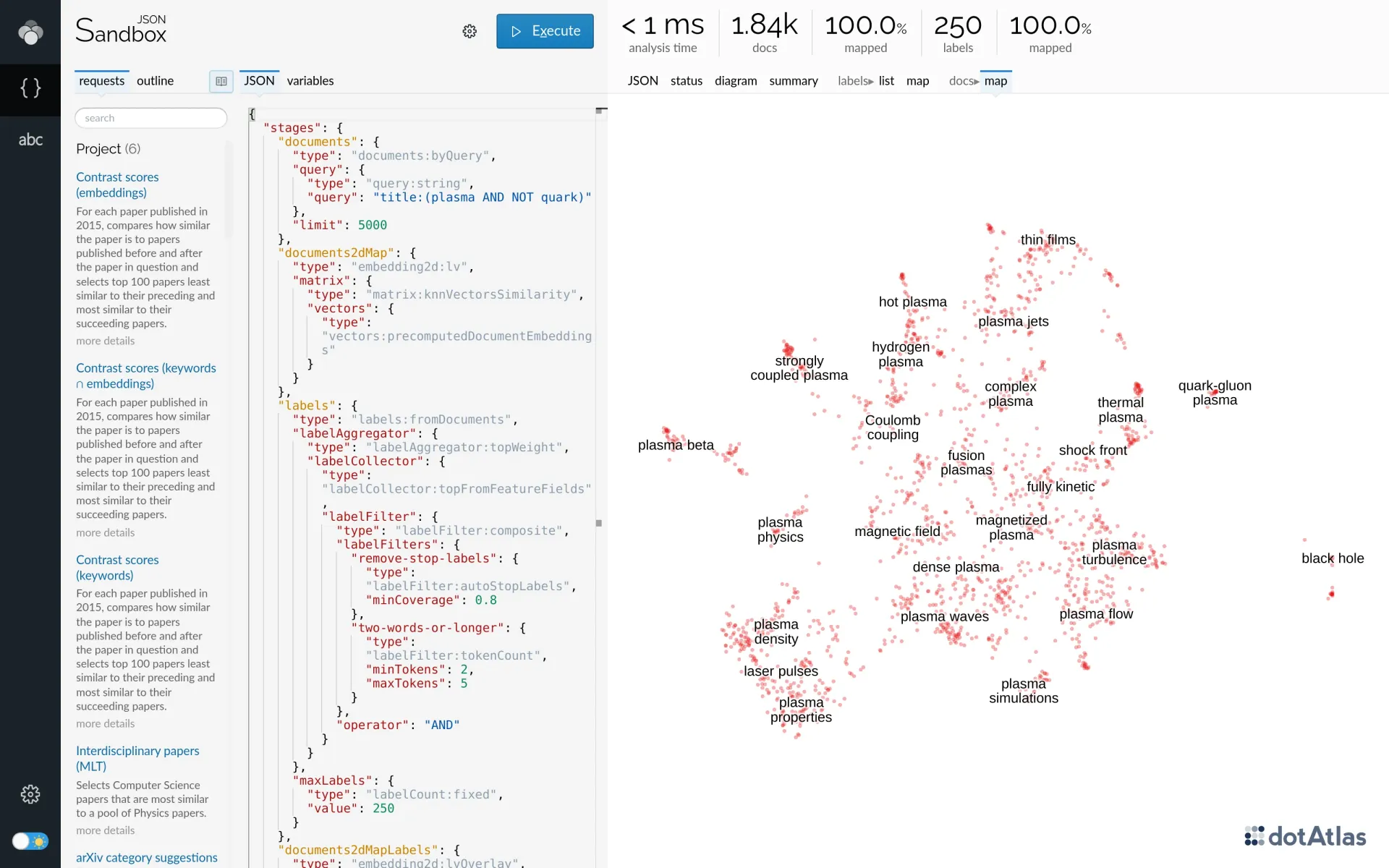
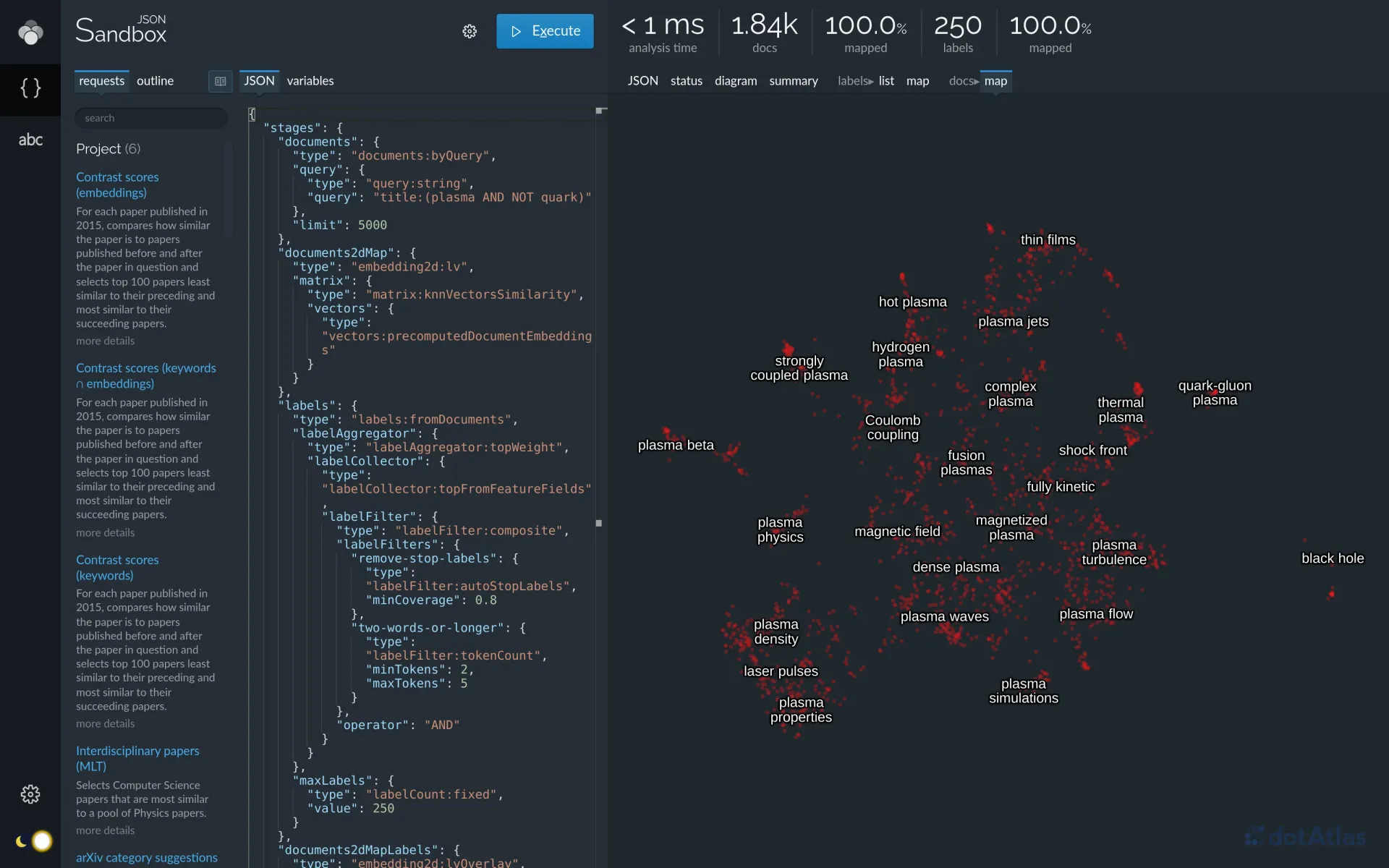
Lingo4G JSON Sandbox app showing a labelled 2d map of a set of documents. Each dot on the map corresponds to one document.
You can add further detail to the 2d document map by clustering similar documents into groups and coloring map points based on the cluster to which the corresponding document belongs:
{
  "stages": {
    "documents": {
      "type": "documents:byQuery",
      "query": {
        "type": "query:string",
        "query": "title:(plasma AND NOT quark)"
      },
      "limit": 5000
    },
    "documents2dMap": {
      "type": "embedding2d:lv",
      "matrix": {
        "type": "matrix:knnVectorsSimilarity",
        "vectors": {
          "type": "vectors:precomputedDocumentEmbeddings"
        }
      }
    },
    "labels": {
      "type": "labels:fromDocuments",
      "labelAggregator": {
        "type": "labelAggregator:topWeight",
        "labelCollector": {
          "type": "labelCollector:topFromFeatureFields",
          "labelFilter": {
            "type": "labelFilter:composite",
            "labelFilters": {
              "remove-stop-labels": {
                "type": "labelFilter:autoStopLabels",
                "minCoverage": 0.8
              },
              "two-words-or-longer": {
                "type": "labelFilter:tokenCount",
                "minTokens": 2,
                "maxTokens": 5
              }
            },
            "operator": "AND"
          }
        }
      },
      "maxLabels": {
        "type": "labelCount:fixed",
        "value": 250
      }
    },
    "documents2dMapLabels": {
      "type": "embedding2d:lvOverlay",
      "matrix": {
        "type": "matrix:keywordLabelDocumentSimilarity"
      },
      "embedding2d": {
        "type": "embedding2d:reference",
        "use": "documents2dMap"
      }
    },
    "clusters": {
      "type": "clusters:ap",
      "matrix": {
        "type": "matrix:knnVectorsSimilarity",
        "vectors": {
          "type": "vectors:precomputedDocumentEmbeddings"
        },
        "maxNeighbors": 32
      },
      "inputPreference": -10000,
      "softening": 0.05
    },
    "clusterLabels": {
      "type": "labelClusters:documentClusterLabels",
      "labelCollector": {
        "type": "labelCollector:topFromFeatureFields",
        "labelFilter": {
          "type": "labelFilter:composite",
          "labelFilters": {
            "default": {
              "type": "labelFilter:reference",
              "use": "labelFilter"
            },
            "two-words-or-longer": {
              "type": "labelFilter:tokenCount",
              "minTokens": 2,
              "maxTokens": 5
            }
          },
          "operator": "AND"
        }
      }
    }
  }
}
Lingo4G analysis request computing a 2d map and clusters for a set of documents.
If you run the extended request in the JSON sandbox app, the docs map tab should now show the document map colored based on the cluster to which each document belongs. You can also switch to the docs clusters tab to see a tree of document clusters, along with labels most frequently occurring in each cluster's member documents.
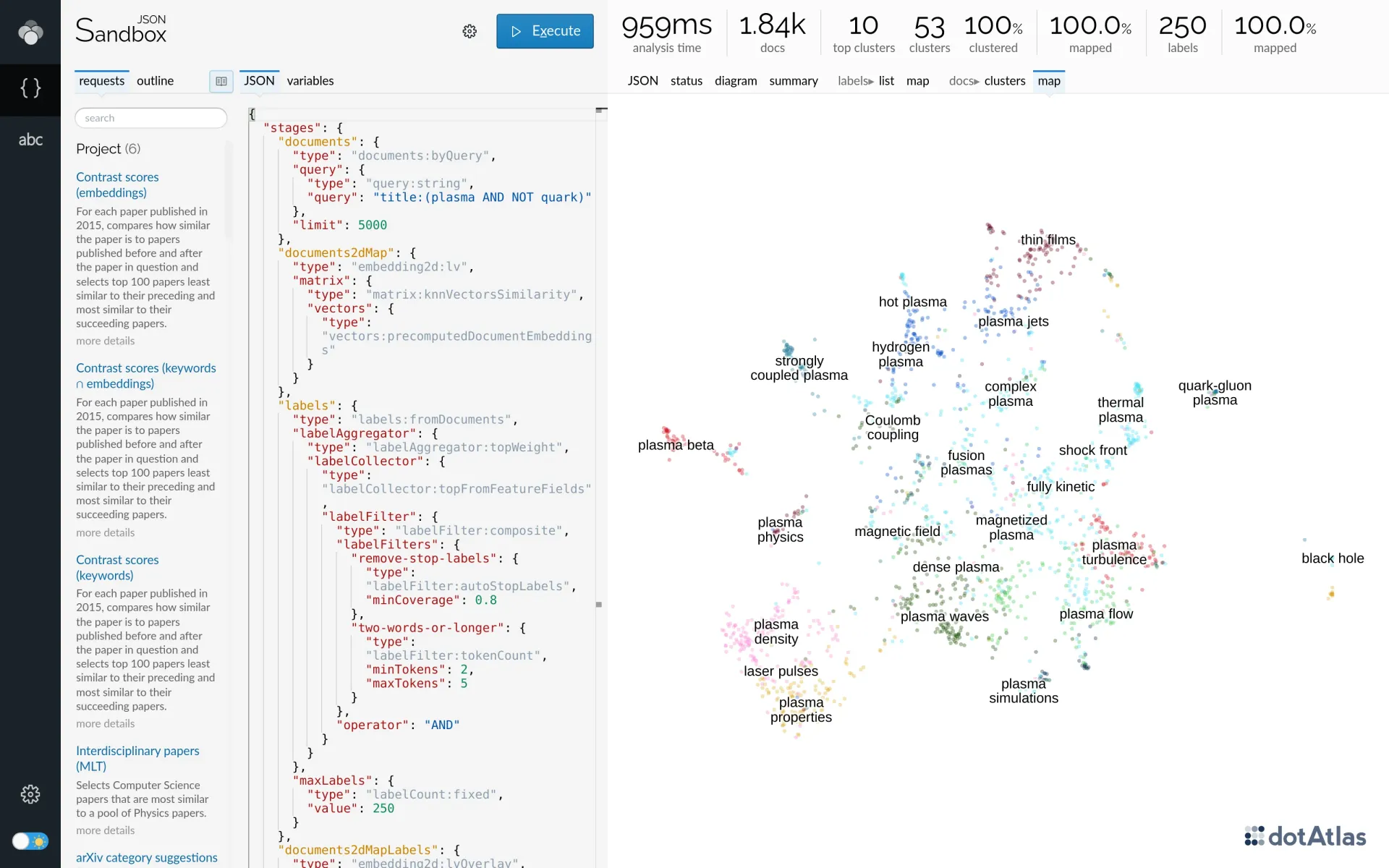
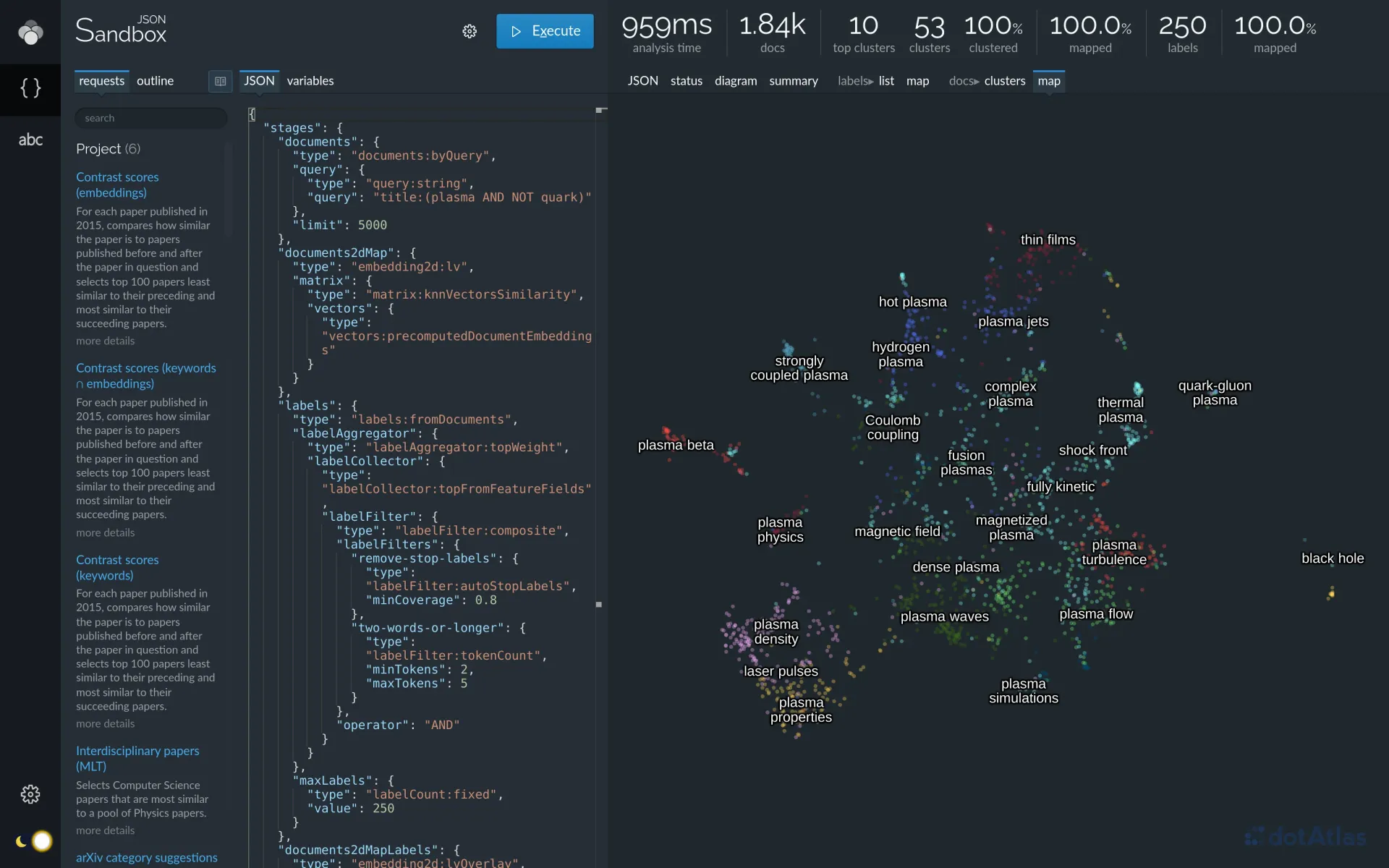
Lingo4G JSON Sandbox app showing a labelled 2d map of a set of documents, colored based on the clusters to which the documents belong.
See the Clustering and 2d embedding tutorials for more in-depth coverage of clustering and 2d mapping of documents and labels.
Similar document search (more-like-this)
Similarity search or neighborhood search when you have one or more example documents, sometimes called seeds, and would like to find documents similar to that example. A simple text search is not always satisfactory because it's often difficult to translate the essence of a document into a Boolean keyword query.
You can build a Lingo4G request that performs similar document search using the keyword containment or embedding vector similarity criteria. The latter is perhaps more interesting as — at least in theory — it should be able to retrieve documents that talk about the same subject, but use different words.
Let's look for research abstracts similar to the arXiv paper identified as 1703.01028:
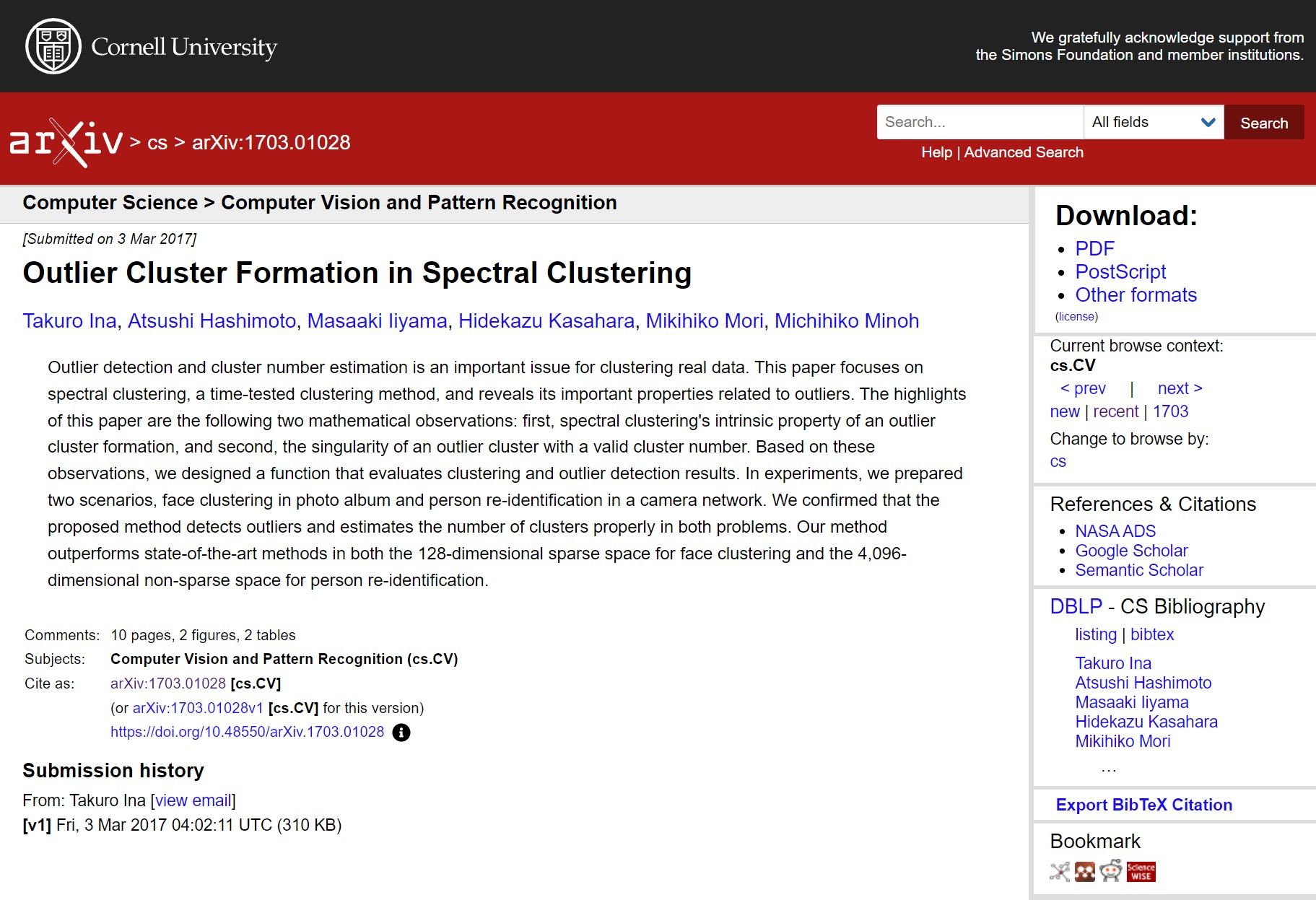
The arXiv page showing the paper we will use for similar document retrieval.
The following Lingo4G API request searches for documents most similar to 1703.01028, based on multidimensional vector similarity:
{
  "components": {
    "labelFilter": {
      "type": "labelFilter:composite",
      "labelFilters": {
        "autoStopLabels": {
          "type": "labelFilter:autoStopLabels"
        }
      }
    }
  },
  "stages": {
    "seedDocument": {
      "type": "documents:byQuery",
      "query": {
        "type": "query:string",
        "query": "id:1703.01028"
      },
      "limit": 1
    },

    "similarDocuments": {
      "type": "documents:embeddingNearestNeighbors",
      "vector": {
        "type": "vector:documentEmbedding",
        "documents": {
          "type": "documents:reference",
          "use": "seedDocument"
        }
      },
      "limit": 10
    },

    "documentContent": {
      "type": "documentContent",
      "documents": {
        "type": "documents:reference",
        "use": "similarDocuments"
      },
      "fields": {
        "type": "contentFields:simple",
        "fields": {
          "title": {},
          "id": {},
          "abstract": {},
          "created": {}
        }
      }
    }
  }
}
More-like-this document similarity search using the provided document identifier as a seed, in the document embedding vectors space.
When you run the above request in the API sandbox, you should see a tab with the most similar documents. Note the first document's weight is 1: this is the seed document.
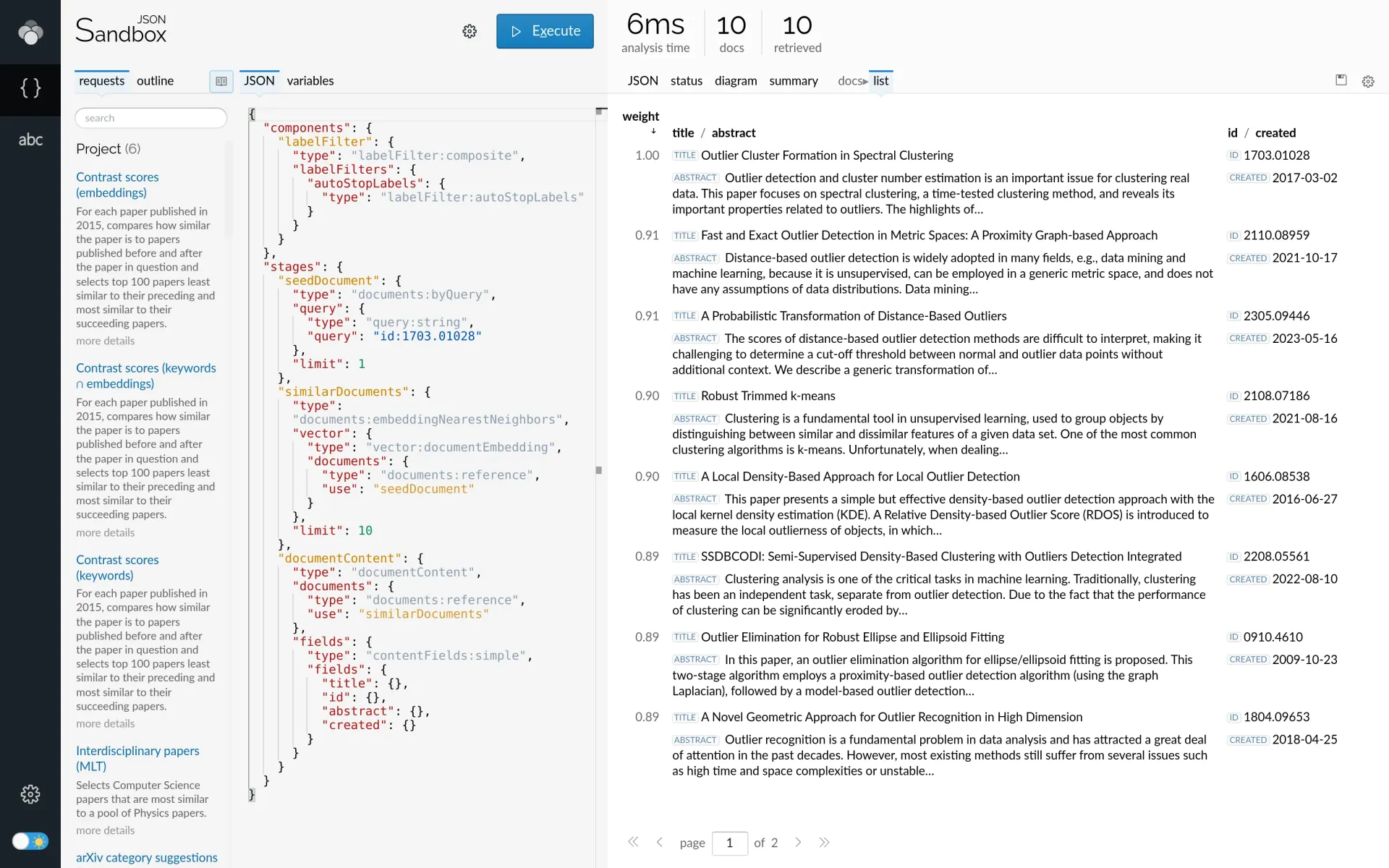
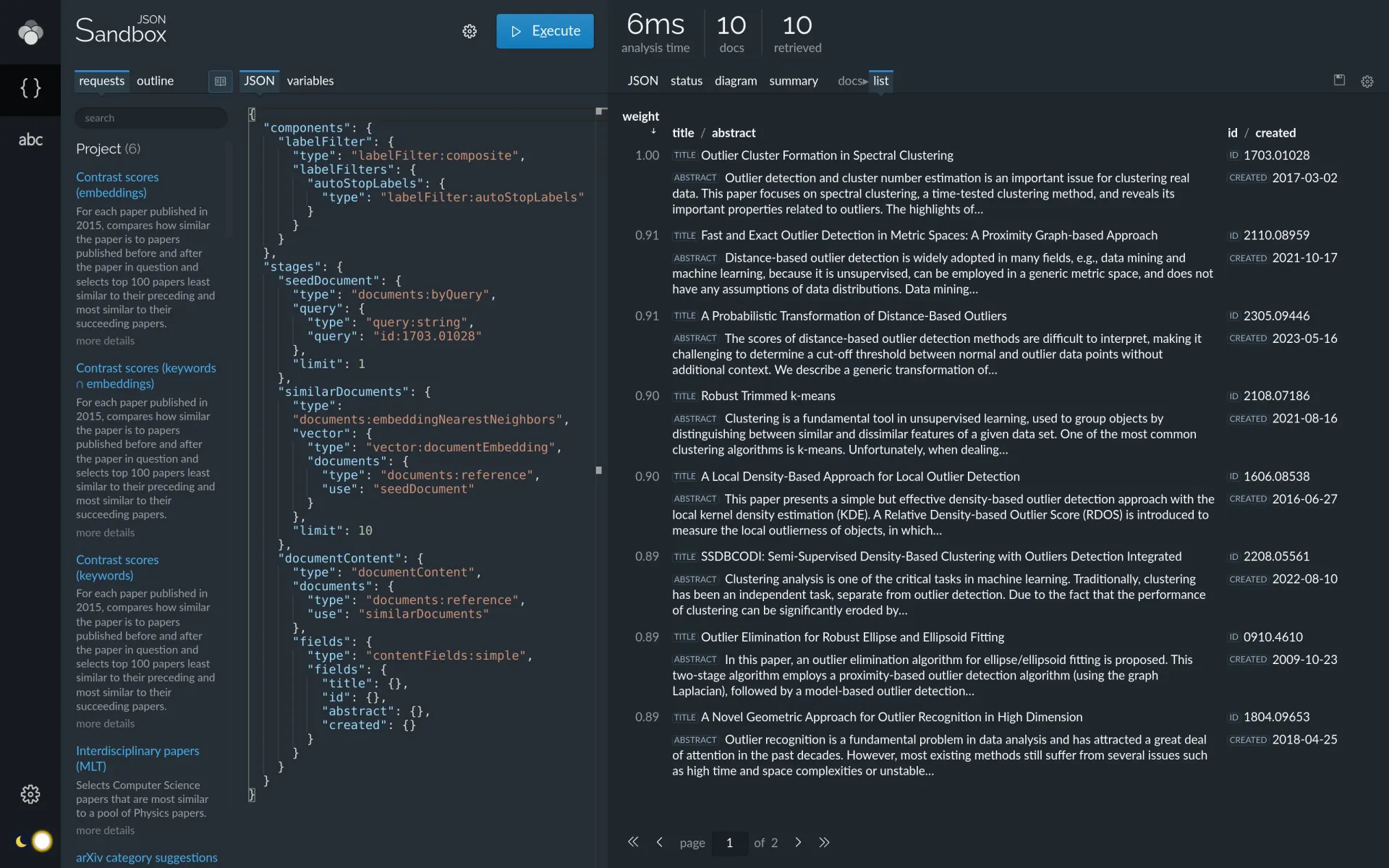
Lingo4G JSON Sandbox app showing documents similar to the provided seed. The first document is the seed.
If you'd like to learn more about this functionality, see the similar document retrieval chapter.
Duplicate detection
Lingo4G contains a very flexible and efficient duplicate content and overlap detection algorithms. You can use this functionality to discover identical or nearly-identical content, but also to identify isolated text passages that appear in otherwise different content.
Let's find papers published on arXiv between 2015 and 2017 that have very similar (but not identical) abstracts. We want the text similarity (defined as the ratio of identical overlapping text passages to different text passages) to fall between 60% and 70%. Here is a Lingo4G analysis API request that fulfills our goal:
{
  "variables": {
    "fieldsToCompare": {
      "value": [
        "abstract"
      ]
    }
  },

  "components": {
    "sourceFields": {
      "type": "fields:simple",
      "fields": {
        "@var": "fieldsToCompare"
      }
    },
    "documentSimilarity": {
      "type": "pairwiseSimilarity:documentOverlapRatio",
      "fields": {
        "type": "fields:reference",
        "use": "sourceFields"
      },
      "ngramWindow": 10
    }
  },

  "stages": {

    "similarPairs": {
      "type": "documentPairs:duplicates",

      "query": {
        "type": "query:string",
        "query": "created:[2015 TO 2017]"
      },

      "hashGrouping": {
        "pairing": {
          "maxHashGroupSize": 200
        },
        "features": {
          "type": "featureSource:sentences",
          "fields":{
            "type": "fields:reference",
            "use": "sourceFields"
          }
        }
      },

      "validation": {
        "pairwiseSimilarity": {
          "type": "pairwiseSimilarity:reference",
          "use": "documentSimilarity"
        },
        "min": 0.6,
        "max": 0.7
      }
    },

    "documents": {
      "type": "documentContent",
      "limit": "unlimited",

      "documents": {
        "type": "documents:fromDocumentPairs",
        "documentPairs": {
          "type": "documentPairs:reference",
          "use": "similarPairs"
        }
      },

      "fields":{
        "type": "contentFields:simple",
        "fields": {
          "id": {},
          "title": {},
          "author_name": {},
          "created": {},
          "updated": {}
        }
      }
    },

    "overlaps": {
      "type": "documentOverlap",

      "documentPairs": {
        "type": "documentPairs:reference",
        "use": "similarPairs"
      },

      "pairwiseSimilarity": {
        "type": "pairwiseSimilarity:reference",
        "use": "documentSimilarity"
      },

      "alignedFragments": {
        "contextChars": 80,
        "maxFragments": 10,
        "fields": {
          "type": "contentFields:grouped",
          "groups": [
            {
              "fields": {
                "@var": "fieldsToCompare"
              },
              "config": {
                "maxValueLength": 3000
              }
            }
          ]
        }
      },

      "fragmentsInFields": {
        "contextChars": 600,
        "fields": {
          "type": "contentFields:grouped",
          "groups": [
            {
              "fields": {
                "@var": "fieldsToCompare"
              },
              "config": {
                "maxValues": 10,
                "maxValueLength": 3000
              }
            }
          ]
        }
      }
    }
  }
}
An API request to find papers with nearly identical abstracts (similarity score between 60 and 70%).
When you run the above request in the API sandbox, you should see a tab with a simple visualization of document pairs that match the similarity criteria:
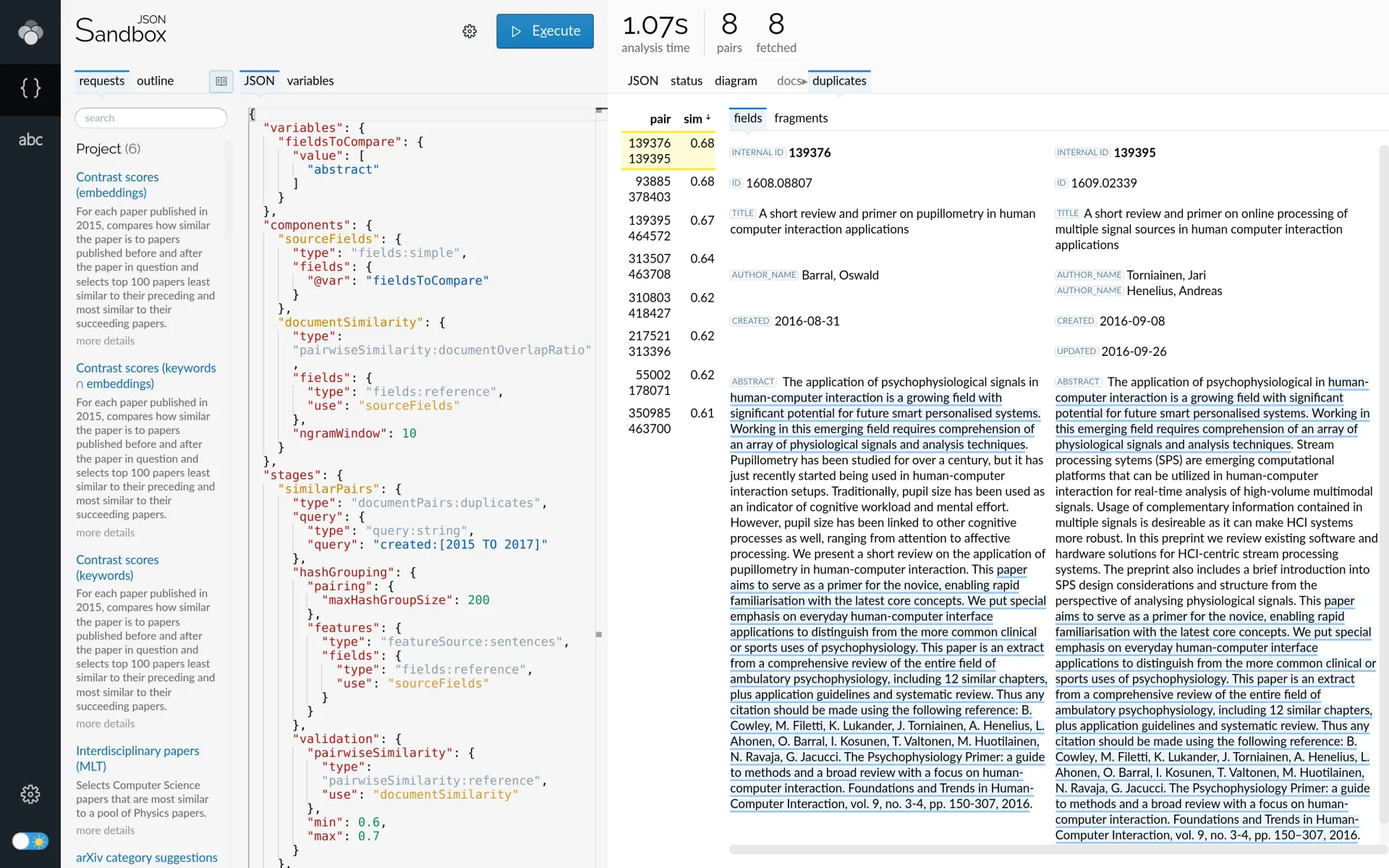
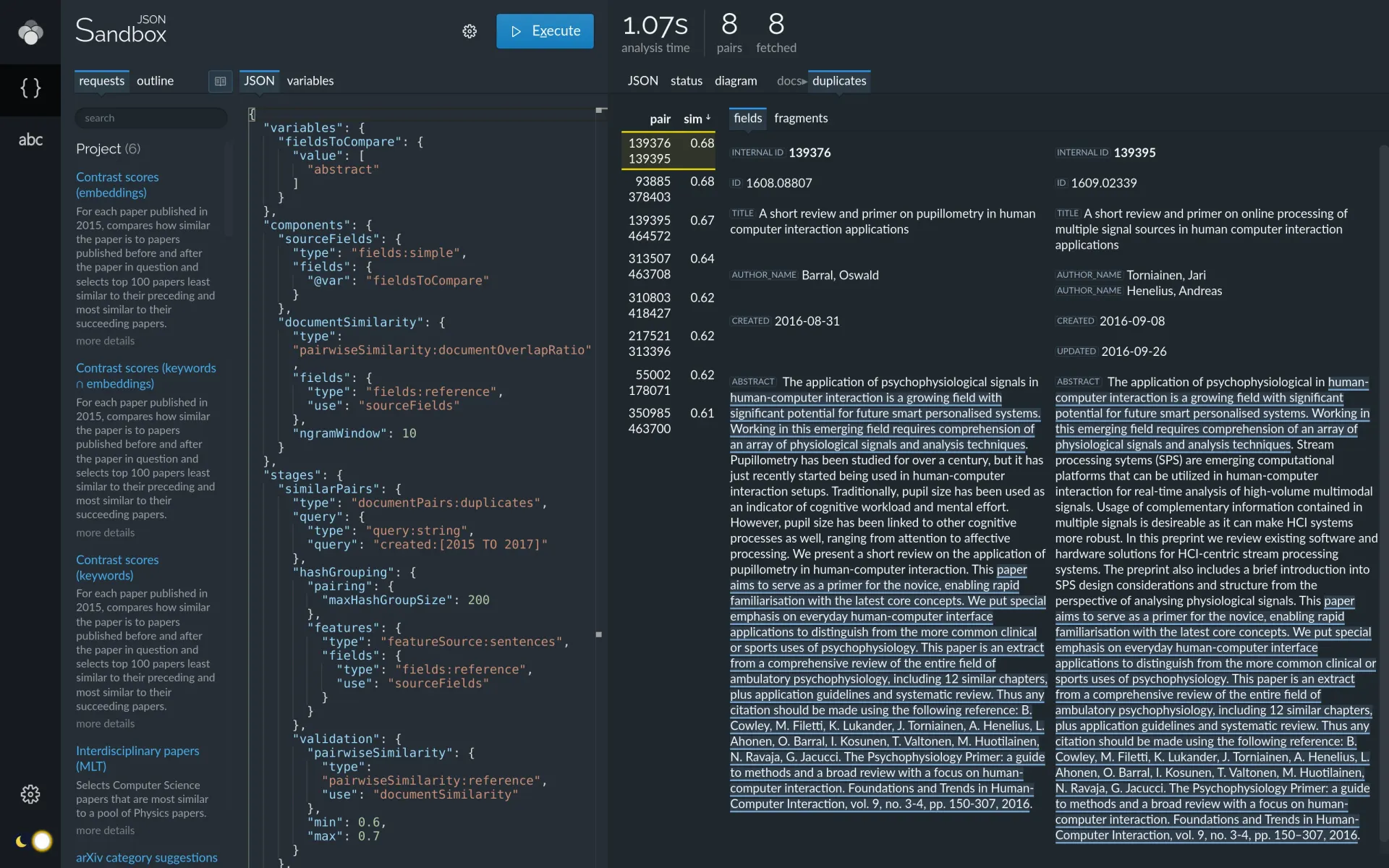
Lingo4G JSON Sandbox app showing duplicate documents and their text overlaps, highlighted.
The above visualization pulls information from multiple stages of the API response:
-
documentPairs:duplicatescontributes duplicate pairs, -
documentContentcontributes document field values, -
documentOverlapcontributes text overlap highlights.
For in-depth explanation of duplicate detection and more request examples, see the Duplicate detection tutorial. The Highlighting duplicate regions tutorial discusses the overlap highlighting in more detail.
Next steps
If you're interested in exploring other examples included with Lingo4G, see the example data sets chapter.
If you feel adventurous enough, try setting up your own project from scratch to index and explore your own data.
Finally, have a look at the analysis API tutorials: